
Introducing AIOps for Progress Chef: Generate, Test and Deploy Automation Powered by Intelligent AI Agents
Go from intent to automation deployed at scale, faster than ever.
This is an experimental capability. Be among the first to shape it.
Join the Waitlist
What is Progress Chef AIOps?
The Progress® Chef® AIOps capability is built for operations teams to help generate automation code like Chef Cookbooks, Bash or PowerShell scripts and deploy them at scale. Powered by the Chef orchestration tool, the AIOps capability provides a high degree of flexibility and control over automation script deployments.
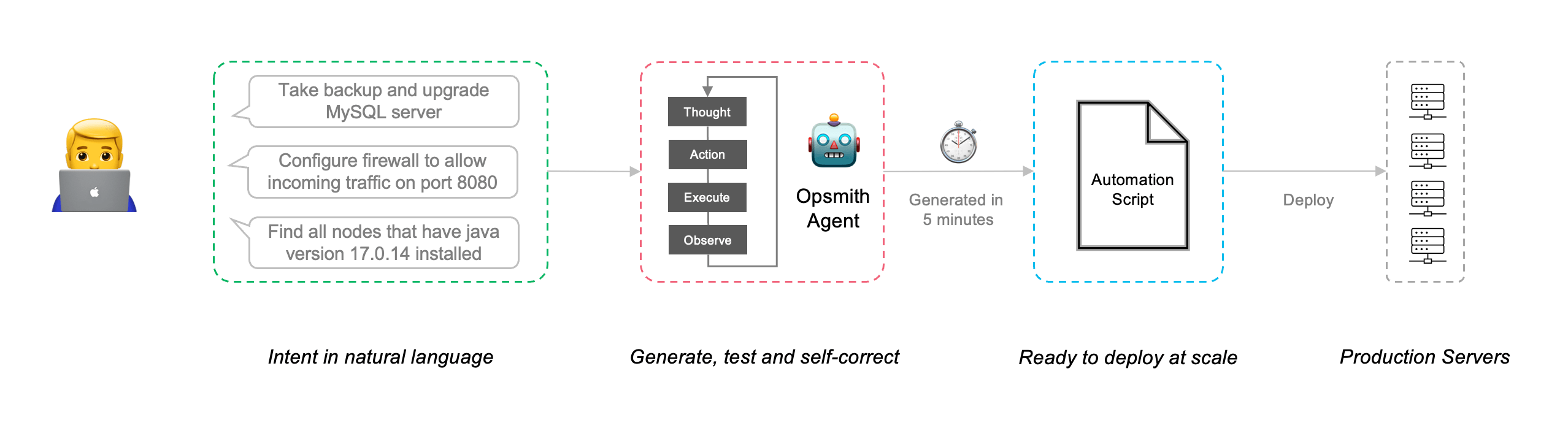
How It Works
Based on their particular requirements and familiarity with the market, organizations seeking a solution for configuration management and compliance may consider both Chef and Ansible for their infrastructure automation needs. This overview covers the key areas you should consider when comparing these two products:
- Step 1. Describe Your Need
Democratize operations across teams. Just describe your goal in plain language, whether it's configuring environments, installing tools or running compliance checks.
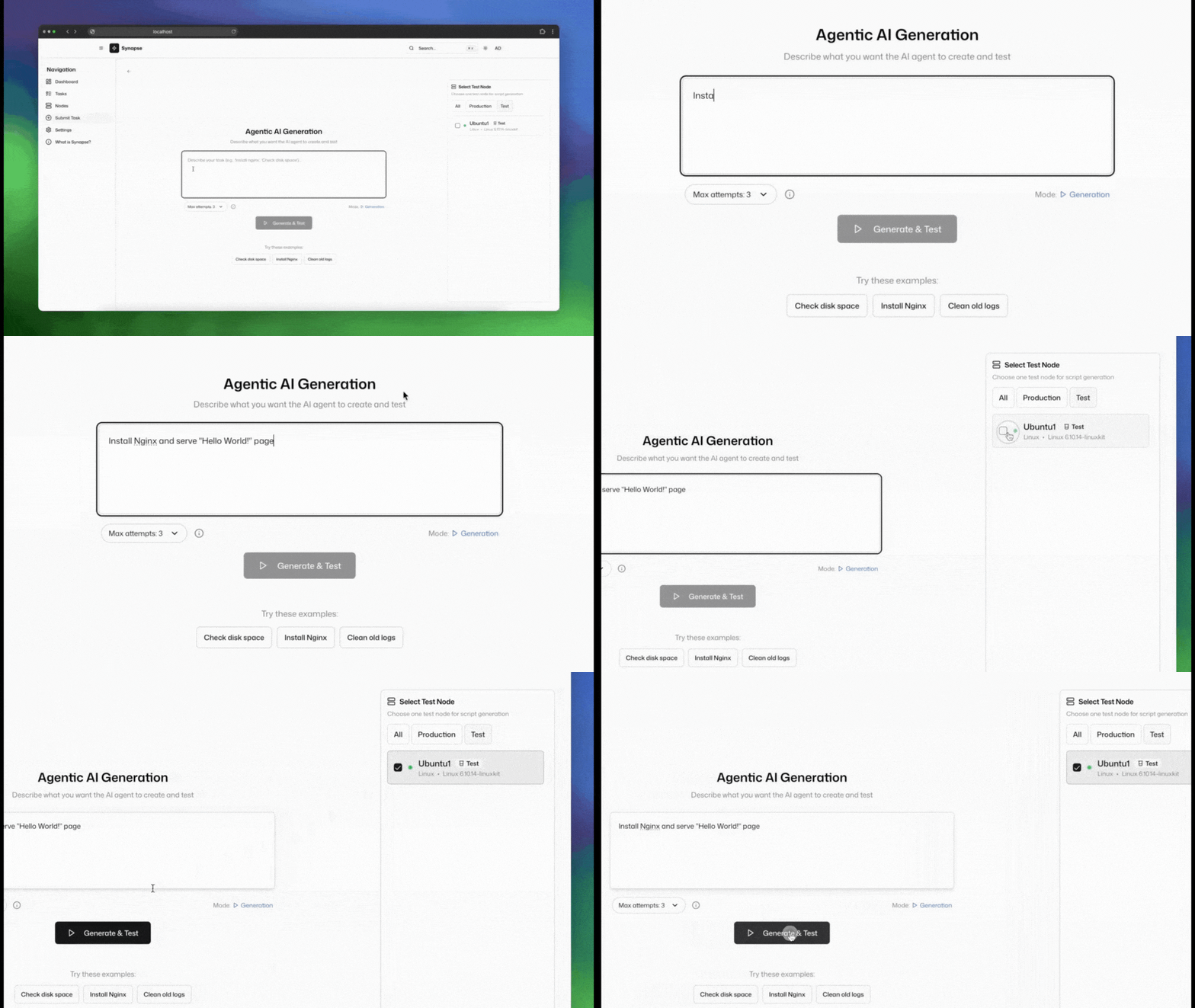
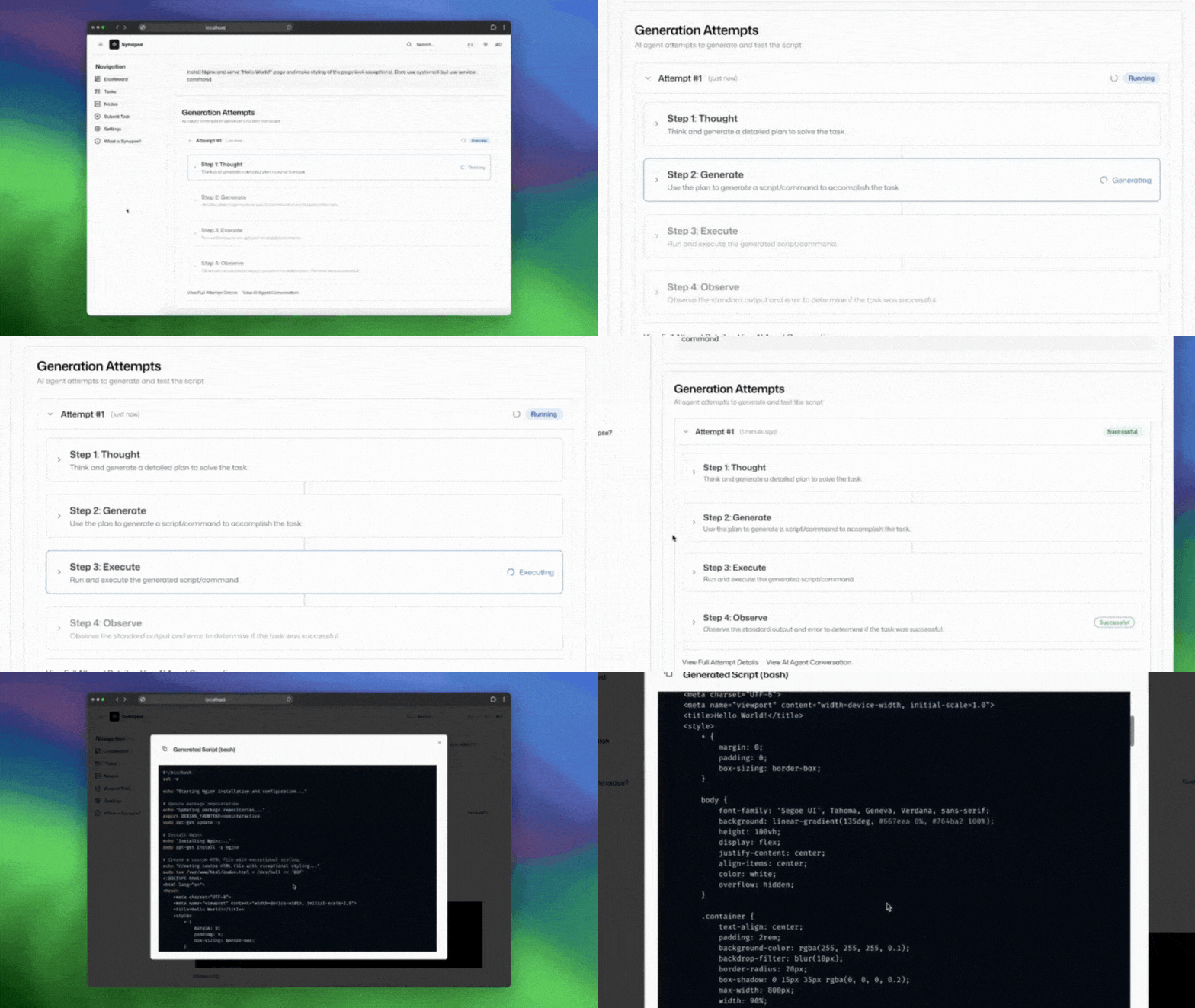
- Step 2. Let AI Plan, Generate and Validate
The agent breaks down your intent into logical steps, plans the automation and generates code that’s aware of dependencies, edge cases and best practices and validates it before moving forward.
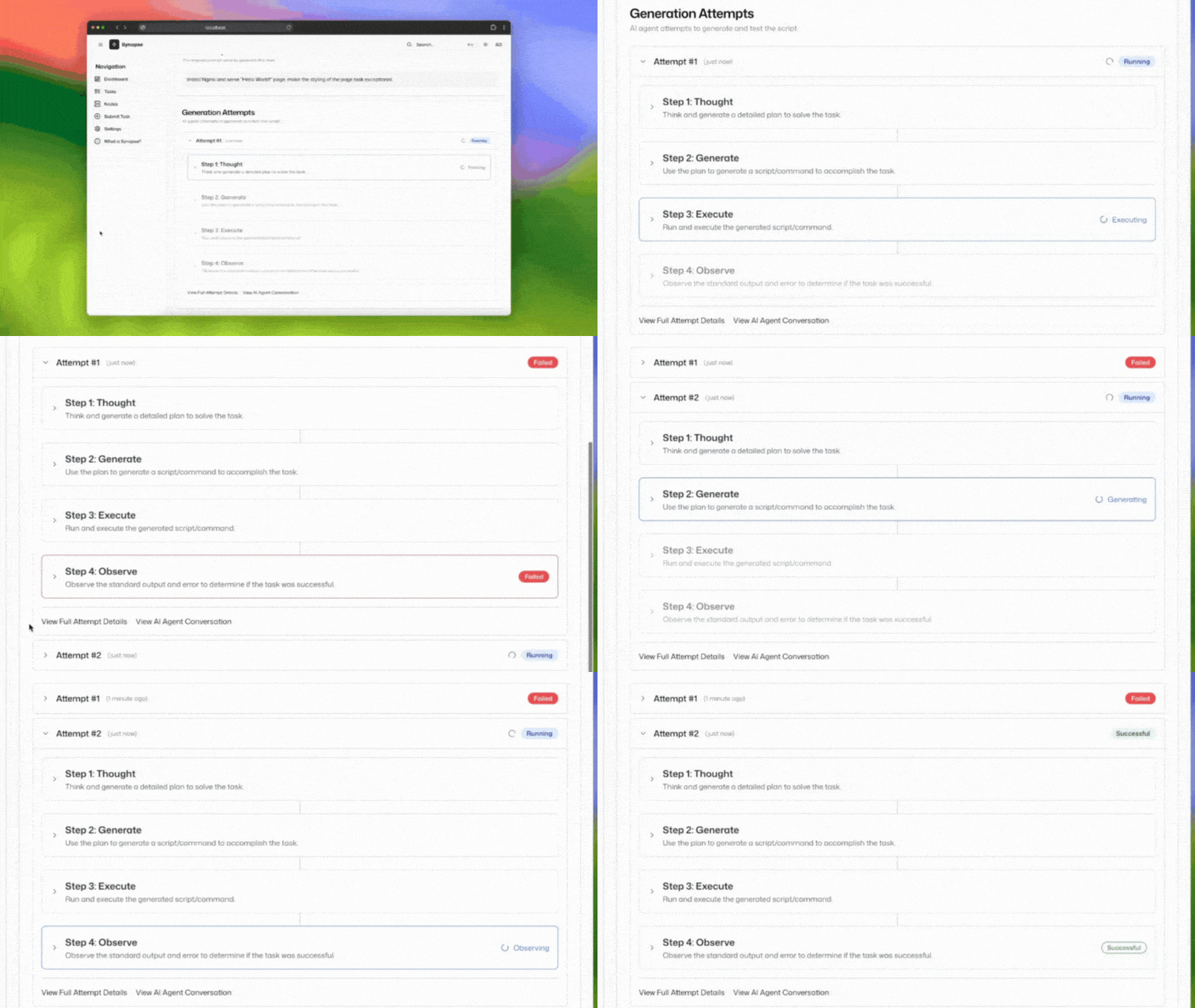
- Step 3. Test, Learn, Iterate
The system runs intelligent test loops to validate outputs. If something fails, it troubleshoots autonomously, refines the automation and re-tests until it works.
.gif?sfvrsn=97b2f5a3_1 "Deployment to production")
- Step 4. Deploy with Confidence, At Scale.
Nothing runs without your green light. Review, approve and roll out automation across environments consistently, securely and at scale.
Use Cases
Powerful automation scenarios built for real IT challenges
Server Configuration
Standardize server setups, apply security policies and manage user access across your fleet.
Sample Prompts:
- "Configure all web servers with the latest security patches and SSL certificates"
- "Set up development environment with Docker and Node.js on all staging servers"
- "Apply CIS benchmarks to all Linux servers in production"
Application Management
Automate software deployment, updates and removals on any number of nodes in parallel.
Sample Prompts:
- "Deploy the latest version of our web app"
- "Install Nginx and ensure it's running on all web servers"
- "Update Java to latest version on all nodes"
Security and Compliance
Run system status checks, generate compliance reports and help nodes meet security standards.
Sample Prompts:
- "Scan all servers for vulnerabilities and patch critical issues"
- "Enable firewall rules for web traffic and block unauthorized access"
- "Scan all servers to check if they meet CIS benchmark standard"
Incident Response
Quickly gather diagnostics, remediate issues and deploy fixes in response to system alerts.
Sample Prompts:
- "Find servers with high disk usage and clear disk"
- "Find nodes impacted with reported CVE and update package"
- "Restore database from backup after detecting corruption"
Why You Should Choose AI-Powered Automation for Your Infrastructure Ops:
- From Prompt to Production: Describe what you need in plain language and let AI handle the generation, validation and correction to provide working automation scripts.
- Built for Operations teams Leverage purpose-built workflows that support the challenges that Ops teams face every day.
- Agentic AI as a Reliable Teammate Rely on AI that doesn’t just generate code. It reasons, troubleshoots and acts.
- Complete Visibility. Always. Gain complete transparency in every step that AI takes. Every decision is visible. Every action is reviewable.
Interested to try?
Your Chef, Now Smarter with AI
Chef AIOps works hand in hand with your existing Chef deployment. Generate automation scripts with agentic AI and deploy them directly into your infrastructure. Whether you want one-time execution, scheduled runs or continuous enforcement, Chef AIOps works seamlessly with your existing Chef deployment. Interested to try?