

If you are using State Manager in AWS Systems Manager together with the AWS-ApplyChefRecipes document, you may have recently received a notification from AWS regarding an upcoming change to Chef Infra Client downloads.
Beginning June 13, 2026, downloading Chef Infra Client binaries from Progress-hosted endpoints will require a valid Chef License Id. To help customers prepare for this change, AWS has updated the AWS-ApplyChefRecipes Systems Manager document and introduced a new parameter called Chef License Id.
Customers using existing State Manager Associations or automation workflows that rely on AWS-ApplyChefRecipes should review and update their configurations before the enforcement date to ensure continued operation.
In this blog, we'll walk through the change, explain when a Chef License Id is required, and demonstrate how to configure the new parameter within AWS Systems Manager.
Understanding the Change
AWS Systems Manager provides the AWS-ApplyChefRecipes document, allowing organizations to install Chef Infra Client and execute Chef recipes across managed instances.
Historically, customers could specify a Chef Client version and AWS Systems Manager would automatically download the required Chef Infra Client package before executing recipes.
Starting June 13, 2026, downloading Chef Infra Client binaries from licensed Progress download endpoints requires a valid Chef License Id.
To accommodate this change, AWS has updated the AWS-ApplyChefRecipes document and added support for the Chef License Id parameter.
How to get a Chef License Id?
Organizations can now purchase a Chef license directly through AWS Marketplace, making it easier to use existing AWS budget and streamline procurement.
Once you complete the purchase, you will receive an email with the license Id, and the email will look something like this:
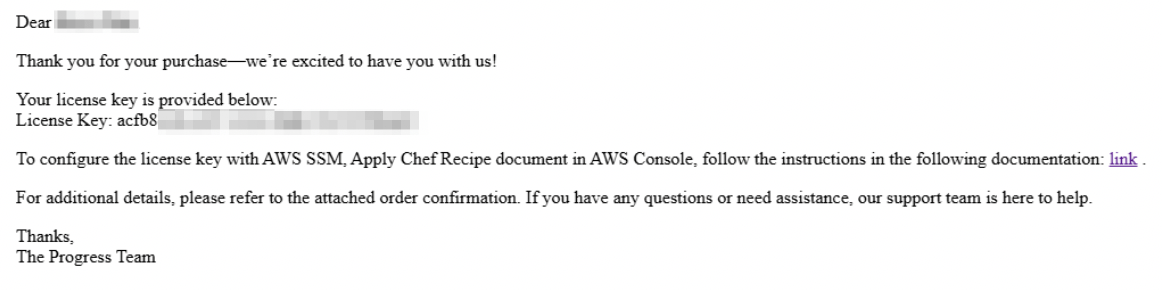
Once you have the license Id, you can proceed to the next step to configure it in the AWS console.
When Should You Specify a Chef License Id?
The Chef License Id parameter should be provided whenever AWS Systems Manager needs to download a Chef Infra Client package before recipe execution.
Common scenarios include:
- Provisioning new instances
- Installing a specific Chef Client Version
- Scaling Auto Scaling Groups
- Creating new environments
- Rebuilding existing systems
If the Chef Infra Client is already installed and no download is required, the parameter may not be used during execution. However, AWS recommends updating associations ahead of the June 13, 2026, enforcement date to avoid future download failures.
Locating the AWS-ApplyChefRecipes Document
Before updating associations, verify that the updated document is available in your:
- Sign in to the AWS Management Console
- Navigate to AWS Systems Manager
- Select Documents from the left navigation pane
- Search for AWS-ApplyChefRecipes
- Open the document and review its available parameters
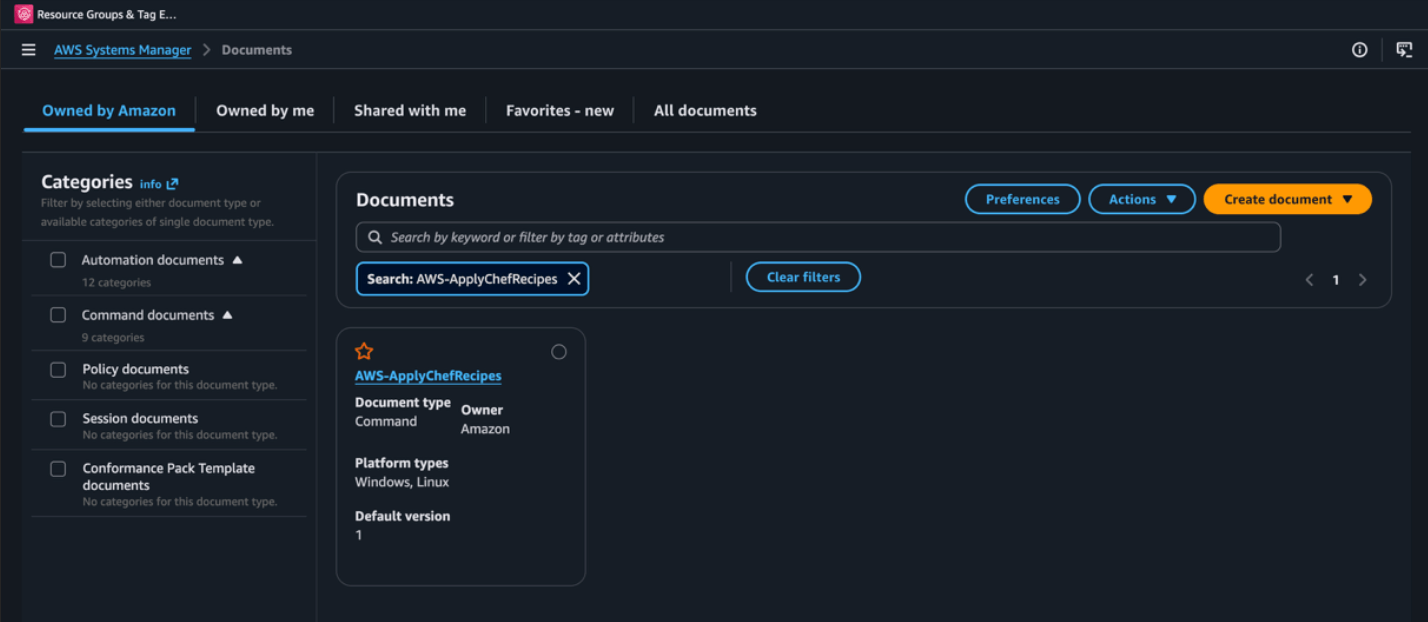
Creating a New State Manager Association
To configure the Chef recipe execution using the updated document:
- Navigate to AWS Systems Manager
- Select State Manager
- Choose Create Association
- Enter a name for the association
- Select AWS-ApplyChefRecipes as the document
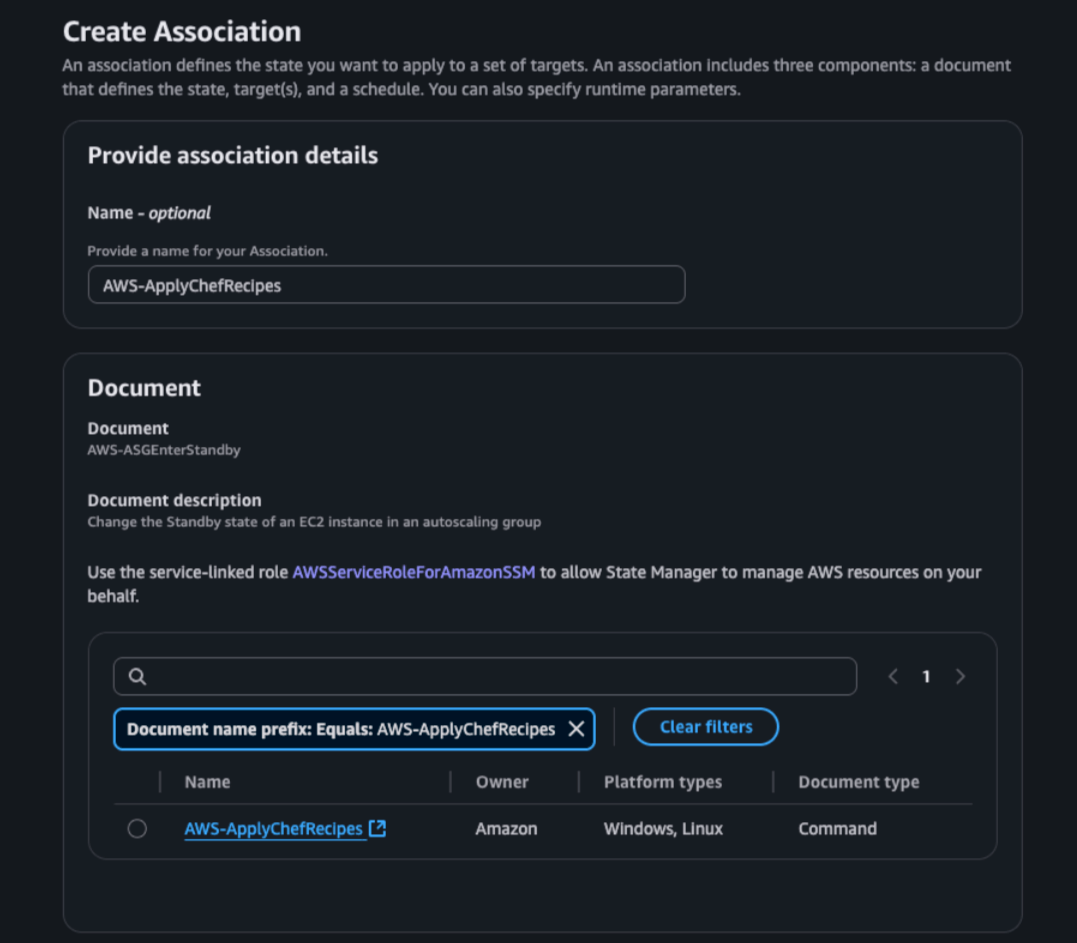
Configuring Chef Recipe Parameters
After selecting the document, scroll to the Parameters section.
AWS Systems Manager exposes several Chef-related configuration options, including:
- Source Type
- Source Info
- Run List
- JSON Attributes
- Chef Client Version
- Chef Client Arguments
- Compliance Reporting Settings
You will now see a new field named: Chef License Id
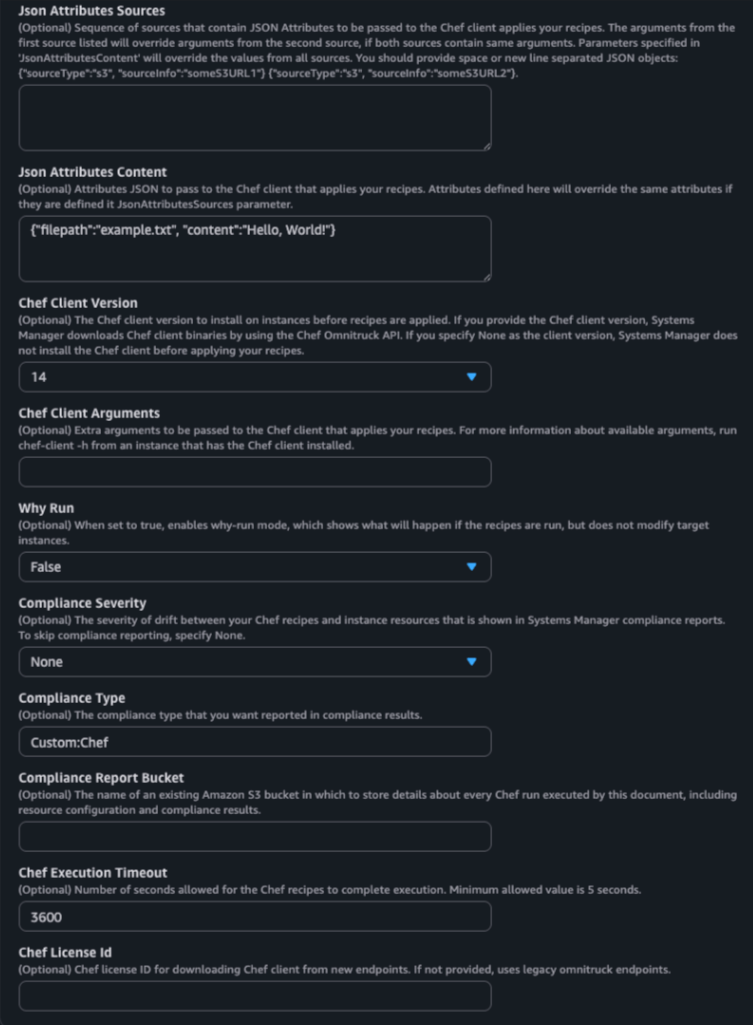
Configuring the Chef License Id
Locate the Chef License Id parameter within the AWS-ApplyChefRecipes document configuration.
The parameter description states:
Optional Chef License Id for downloading Chef client from new endpoints. If not provided, uses legacy omnitrack endpoints.
Although the parameter is currently marked as optional, AWS recommends updating existing State Manager associations and automation workflows to include a valid Chef License Id before June 13, 2026.
Beginning June 13, 2026, Chef Infra Client downloads from licensed Progress download endpoints require a valid Chef License Id. As a result, workflows that download Chef Infra Client packages may fail if an appropriate license ID is not supplied.
To avoid potential disruptions, customers should proactively update existing AWS-ApplyChefRecipes configurations and validate them prior to the enforcement date.
Enter a valid Chef License Id that includes entitlement for Chef Infra Client downloads.
Example: License-XXXXXXXX-XXXXXXXX
When specified, AWS Systems Manager will use the provided license identifier while downloading Chef Infra Client binaries before recipe execution.
Note: If you do not already have a Chef license, you can purchase one through the AWS Marketplace offer here.
Important Notes
- The Chef License Id parameter is currently marked as optional within the AWS-ApplyChefRecipes document.
- Customers using AWS-ApplyChefRecipes should review and update existing State Manager associations before June 13, 2026.
- Customers should test their workflows prior to the enforcement date to ensure successful operation.
- Organizations should ensure the supplied license includes Chef Infra Client entitlements.
Selecting Target Instances
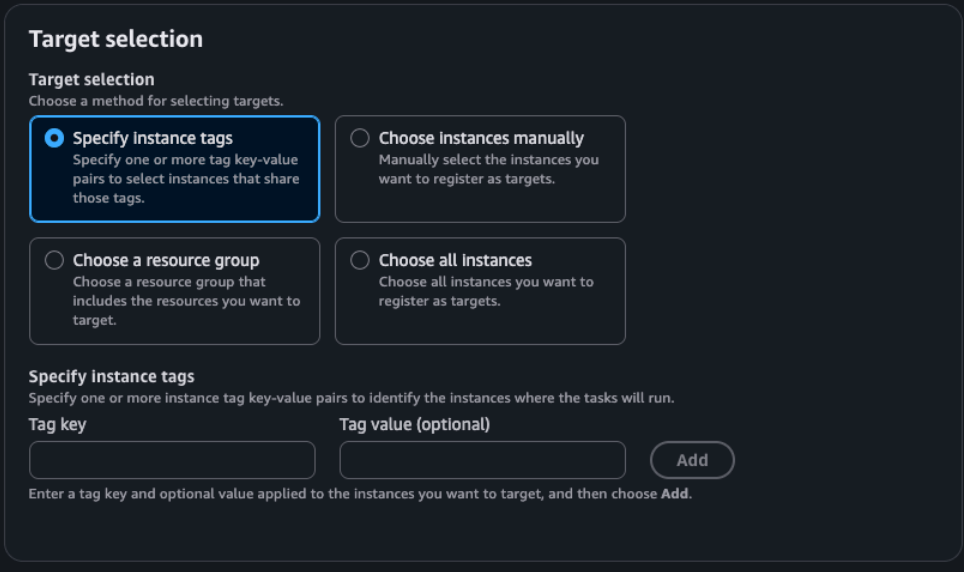
After configuring the document parameters, select the target systems where the association should run.
AWS Systems Manager provides multiple targeting options:
- Specify instance tags
- Choose instances manually
- Choose a resource group
- Choose all instances
In production environments, tag-based targeting is generally recommended because it allows new instances to automatically inherit the association.
Configuring Association Scheduling
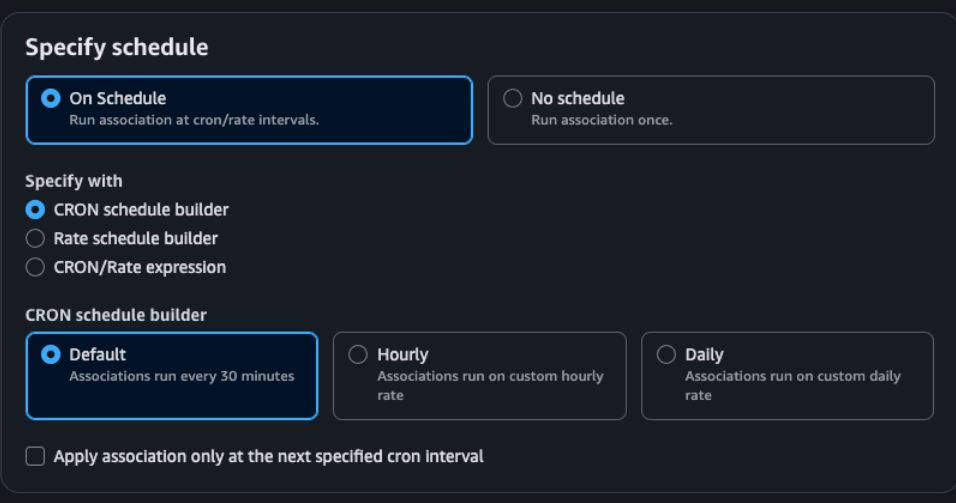
State Manager associations can be configured to run:
- On a recurring schedule
- Once
- Using a custom CRON expression
- Using a rate-based schedule
Choose the scheduling option that aligns with your operational requirements.
For existing Chef-managed environments, maintaining the current schedule is generally sufficient. The primary change required is adding the Chef License Id parameter.
Updating Existing Associations
Customers who already use AWS-ApplyChefRecipes should update their existing State Manager associations before June 13, 2026.
To update an existing association:
- Navigate to AWS Systems Manager
- Open State Manager
- Select the existing association
- Choose Edit
- Locate the Chef License Id parameter
- Enter the appropriate license identifier
- Save the association
- Run the association manually to validate functionality
This ensures future Chef Infra Client downloads continue to succeed after licensed download enforcement begins.
Validating the Configuration
After updating the association:
- Execute the association manually
- Review the execution results
- Verify that Chef Infra Client downloads successfully
- Confirm recipe execution completes without errors
- Check State Manager compliance and execution history
Testing before the enforcement date is strongly recommended to avoid unexpected failures in production environments.
Conclusion
AWS has updated the AWS-ApplyChefRecipes document to support Chef licensed downloads by introducing the new Chef License Id parameter.
Organizations using AWS Systems Manager State Manager should review existing associations and automation workflows that rely on AWS-ApplyChefRecipes and update them before June 13, 2026.
Taking a few minutes to validate and update your configurations today can help ensure uninterrupted Chef Infra Client downloads and continued automation success after licensed download enforcement begins.
For any questions, please go through our FAQ guide or contact Progress Chef support team

