
Infrastructure operations generate a constant stream of events
Devices register and disconnect, jobs succeed or fail, administrators update platform configurations and users perform day-to-day operational tasks. While these events provide valuable operational insight, they are only useful when the right people are informed at the right time.
The Progress Chef 360 Platform includes a centralized Notification Management capability that keeps organizations informed about key platform events. Administrators can configure how notifications are delivered across the organization, while individual users can personalize how and when they receive notifications based on their responsibilities.
In this article, we'll explore how Notification Management works, its core concepts, the responsibilities of administrators and users and how it helps improve operational visibility across enterprise infrastructure environments.
Why Notification Management Matters
As infrastructure environments continue to grow, so does the volume of operational events generated every day. Platform administrators are responsible for monitoring device enrollment, configuration management activities, user administration, policy execution, platform maintenance and many other operational workflows.
Without an effective notification system, administrators often rely on continuously monitoring dashboards or periodically checking system status to identify important events. This approach becomes increasingly inefficient as the number of managed devices and users grows.
Consider a few common operational scenarios:
- A new device successfully registers with the platform
Example: A newly provisioned Linux or Windows server is onboarded to Chef 360 and is ready for configuration management.
- A scheduled job completes successfully or fails unexpectedly
Example: A nightly Courier job that deploys security updates across production servers fails on a subset of systems and requires investigation.
- An administrator changes the platform configuration
Example: An administrator configures a new notification provider or updates an existing notification setting for the organization.
- An ongoing operation requires attention
Example: A long-running configuration or remediation task exceeds its expected execution time and requires operator review.
- A critical system event needs immediate visibility
Example: An important platform event occurs that requires administrators to take prompt action to maintain operational continuity.
Instead of requiring administrators or operators to continuously monitor dashboards, the Chef 360 Platform can proactively notify users when these events occur.
Notification Management helps organizations:
- Improve operational visibility
- Reduce response time to important events
- Deliver information only to relevant users
- Allow users to personalize how notifications are received
- Centralize notification administration across the platform
These capabilities help teams stay informed without overwhelming users with unnecessary alerts.
The Notification Management Architecture Within the Chef 360 Platform
Notification Management separates platform administration from individual user preferences.
At a high level, the workflow looks like this:
- Platform administrators configure notification providers and define the organization's notification framework.
- The Chef 360 Platform generates events when supported activities occur.
- Notifications are routed through configured delivery providers.
- Individual users choose which notifications they want to receive and how they want to receive them.
This separation gives administrators centralized governance while allowing users to tailor their own notification experience.
Core Concepts
Understanding a few key concepts makes Notification Management easier to configure and maintain.
- Notification: A notification is a message generated by the Chef 360 Platform to communicate information about platform events or activities. Depending on the event, notifications may be informational or require user attention.
- Notification Provider: A notification provider defines how notifications are delivered. Providers act as the delivery mechanism between the Chef 360 Platform and users. Multiple providers can be configured depending on organizational requirements.
- Notification Preferences: Notification preferences allow users to control which notifications they receive. Rather than sending each notification to every user, users can customize their subscriptions based on their responsibilities and operational needs. This helps reduce notification fatigue while ensuring critical information reaches the intended audience.
- Notification Events: Notifications are generated only when supported platform events occur. Each notification corresponds to a specific event within the Chef 360 Platform, enabling administrators to maintain predictable, consistent operational communication.
Getting Started with Notification Management
Once you understand the core concepts, the next step is to configure Notification Management within the Chef 360 Platform.
Step 1: Navigate to Notification Management
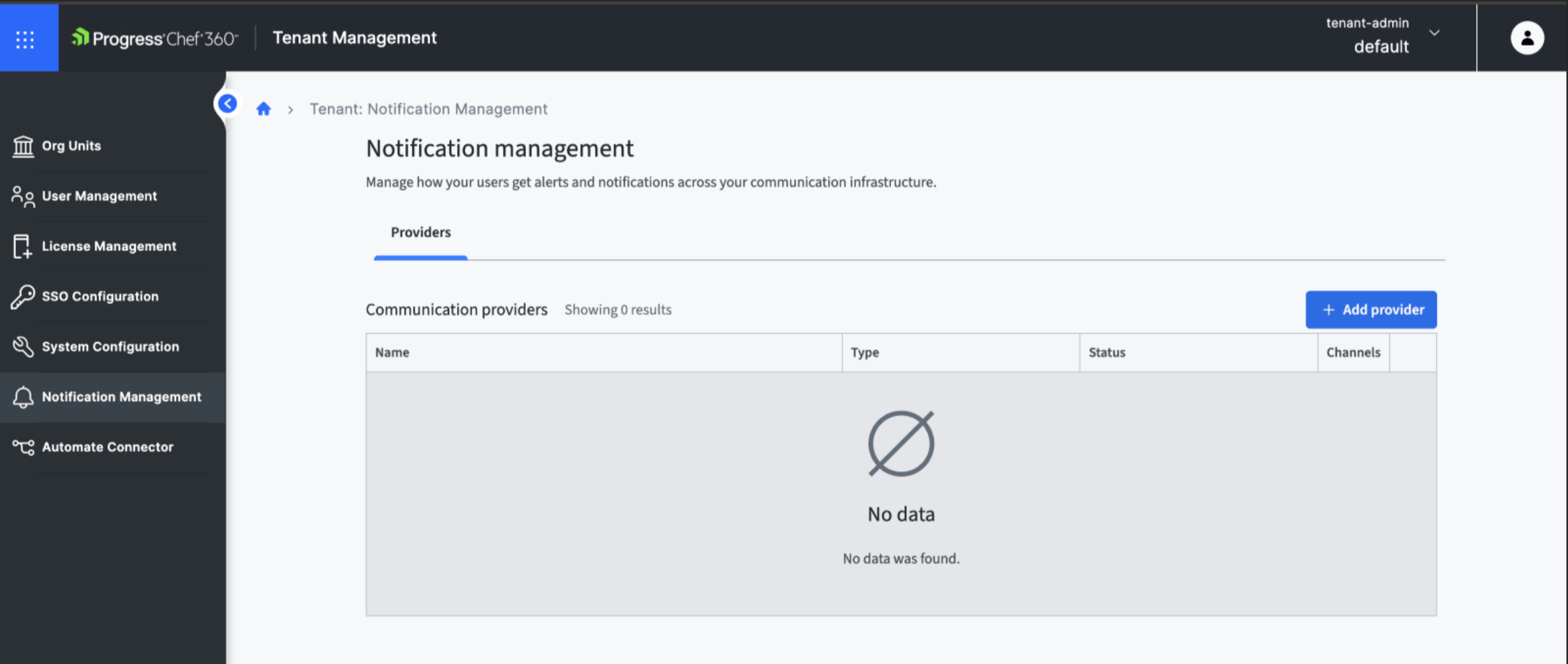
From the Chef 360 dashboard, navigate to Tenant Administrator and select Notification Management. This page allows administrators to configure notification providers and manage notification settings for the organization.
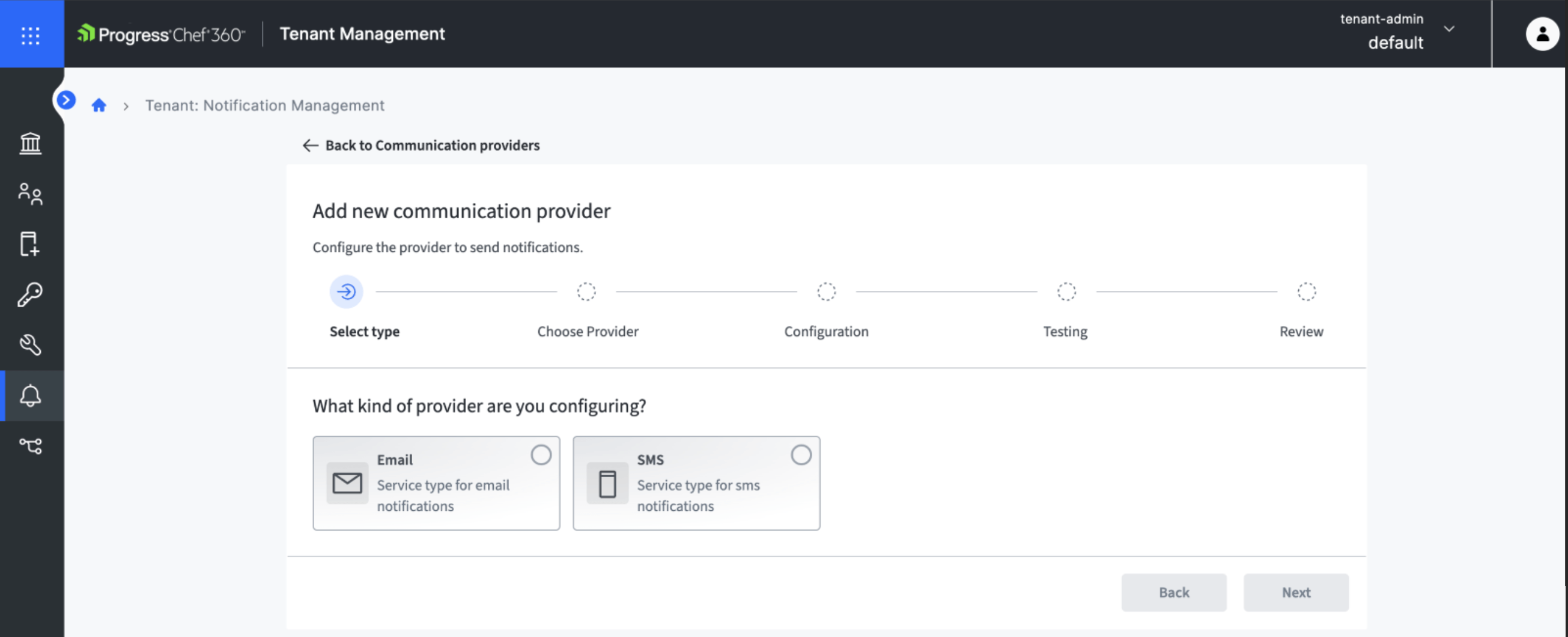
Step 2: Click Add Provider, then select either Email or SMS as the notification provider. Configure the provider with the appropriate settings for your environment and then save the configuration.
Step 3: Configure User Preferences and Verify the Provider
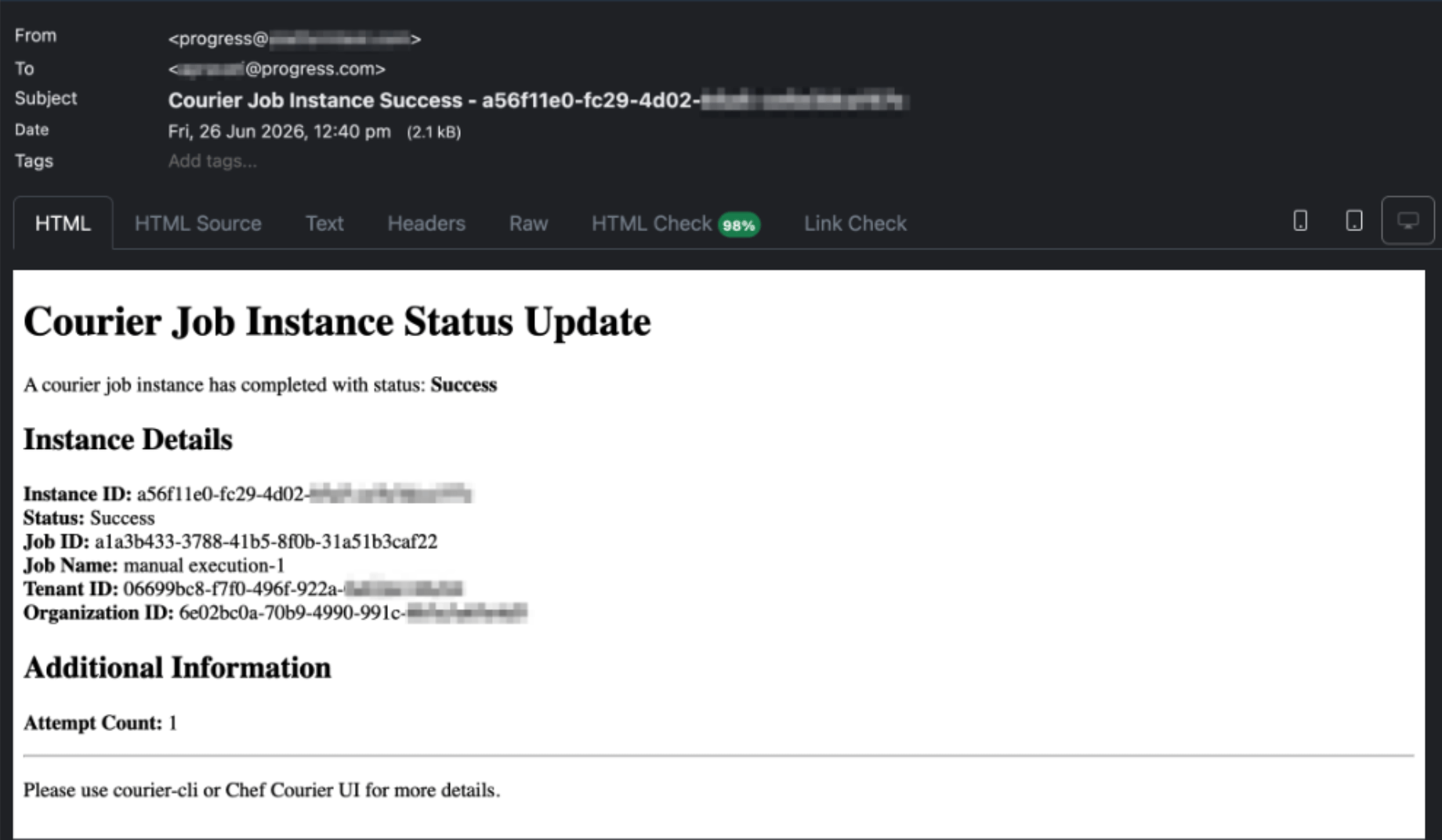
After configuring the notification provider, users can customize their notification preferences based on their operational requirements. To verify that the configuration is working correctly, perform an action that generates a supported platform event—for example, run a Courier job. When the event is triggered, Chef 360 generates a notification and delivers it via the configured notification provider based on the user's notification preferences.
End User Experience
Once a notification provider has been configured by an administrator, individual users can personalize how they receive notifications based on their operational responsibilities.
For example, an infrastructure administrator may choose to receive notifications about administrative activities and platform events, while an operations engineer may prefer notifications about orchestration job executions or other day-to-day operational tasks. This flexibility allows users to receive timely updates most relevant to their roles without being overwhelmed by unnecessary alerts.
Users can:
- View available notification settings
- Enable or disable supported notifications
- Update personal notification preferences
- Control how they receive platform updates
By allowing users to manage their own notification preferences, Chef 360 reduces the administrative overhead of maintaining individual users' notification settings while making sure that important operational events are delivered to the appropriate audience. This self-service approach improves operational awareness, minimizes notification fatigue, and provides a more personalized user experience across the platform.
A Typical Notification Workflow
The following example illustrates how Notification Management operates within the Chef 360 Platform.
- An administrator configures the organization's notification provider
- Users customize their notification preferences
- A supported platform event occurs, for example, a device registration or administrative action
- The Chef 360 Platform generates a notification
- The notification is delivered through the configured provider
- Users receive the notification according to their individual preferences
This workflow ensures operational events are communicated consistently while giving users control over their notification experience.
Best Practices for Notification Management
While using Notification Management:
- Configure notification providers before enabling user subscriptions
- Periodically review notification preferences to avoid alert fatigue
- Test notification delivery after configuration changes
- Ensure notification channels align with organizational policies
- Regularly review provider health and configuration
Together, these capabilities help organizations improve visibility into platform activities without increasing administrative complexity.
Notification Management for Operational Visibility
Operational visibility is an essential part of managing modern infrastructure. As organizations scale their environments, relying solely on dashboards or manual monitoring becomes increasingly inefficient.
Notification Management in the Progress Chef 360 Platform provides a flexible, centralized approach to keeping administrators and users informed about important platform events. By separating platform-wide notification configuration from individual user preferences, organizations can improve operational awareness while giving users greater control over the information they receive.
Whether you're managing a small deployment or a large enterprise environment, Notification Management helps ensure that critical events reach the right people at the right time, enabling faster response and more effective infrastructure operations.
To see how Notification Management works on the Chef 360 Platform, book a trial with us!